
Photo editor
Label Text Editor
Swap a size, flavor or date on the label without a new photo shoot.
4 free credits on sign-up, enough for one photo to animate later. Clips start at 21 credits.
- 1Upload a photo where the label text is readable
- 2Type the current wording and its replacement
- 3Proofread, then animate the updated photo
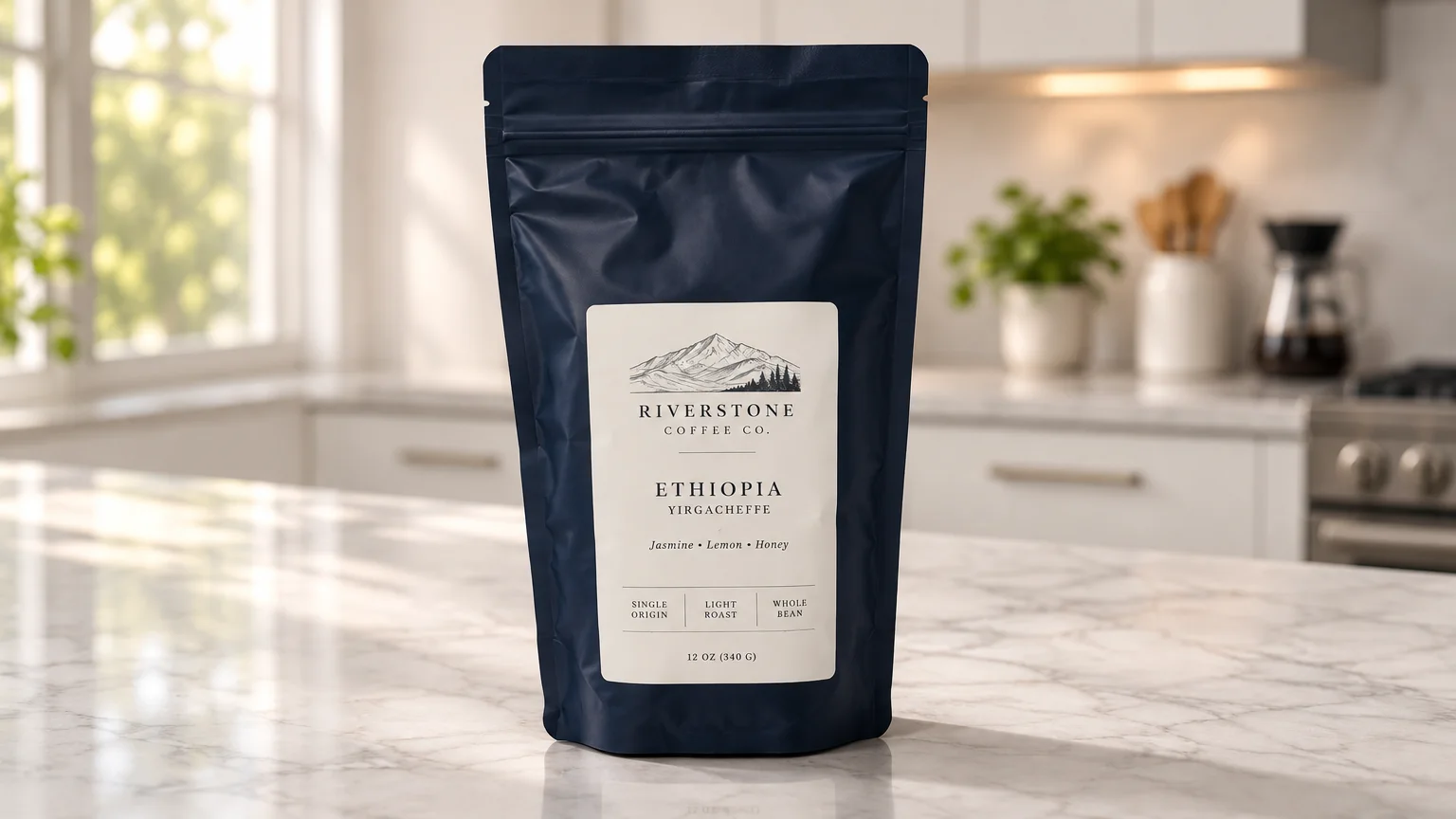
Went in
Came out
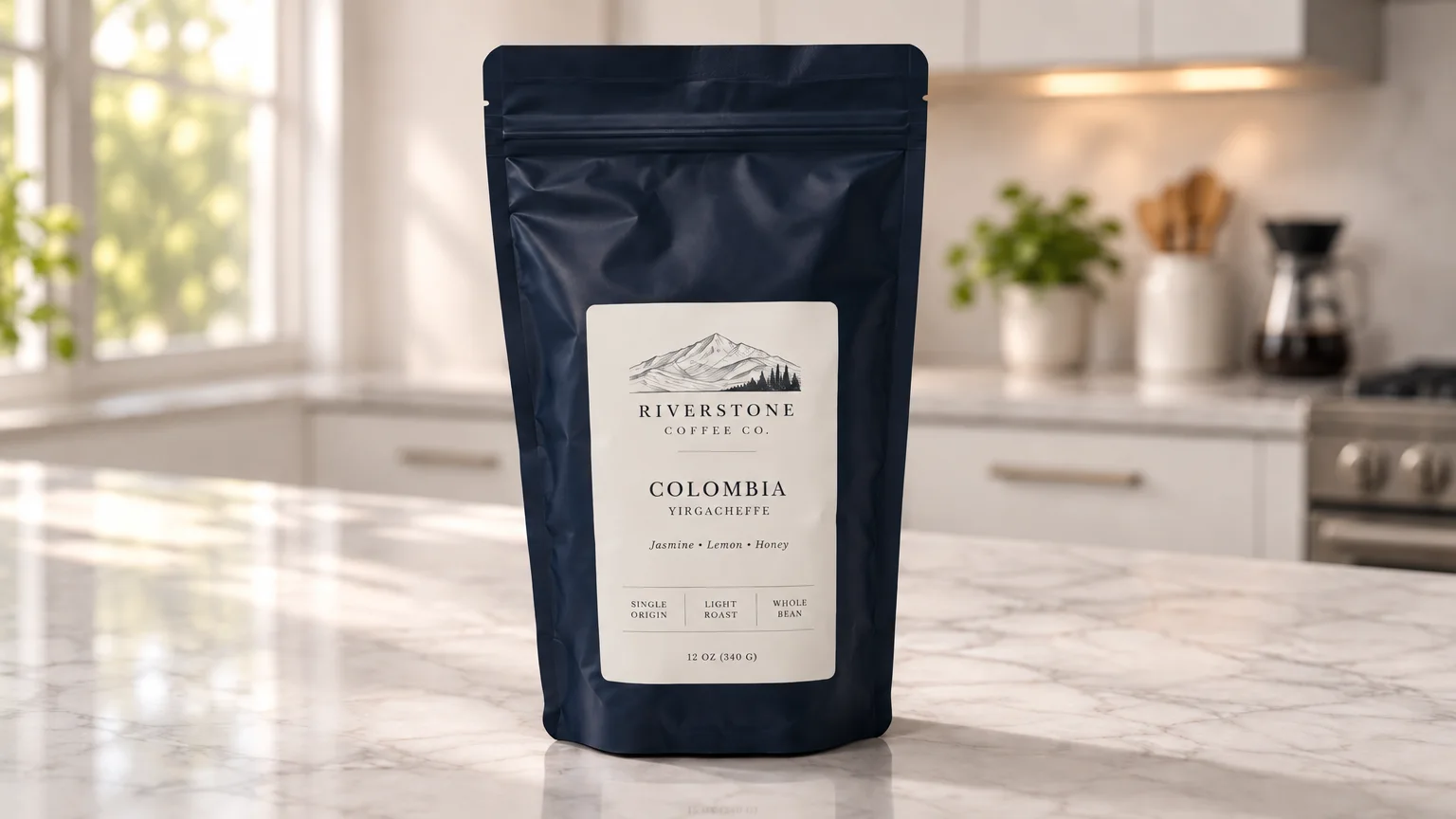
Rendered by this tool from the product photo shown on the left.
Packaging changes more often than products do. The bottle goes from 250 ml to 500 ml, a new flavor shares the same box, a claim is updated after a reformulation. Instead of reshooting, type the old text and the new text, and the label is updated in place.
The replacement keeps the label's font, size, color, placement and curve, so it sits on the package like printed ink. Everything else on the product and in the photo stays as it was. One phrase per run gives the cleanest result.
Updated photos can be sent straight into a video type, so a clip can be re-rendered with the new label. Each run costs 4 credits on Standard; use Pro at 12 for small print. Proofread the result letter by letter before publishing, and only show text that matches the product you actually ship.
Credits
| Option | Credits | Good for |
|---|---|---|
| Standard | 4 | Quick photos and opening frames |
| Pro | 12 | Gallery and PDP photos |
| Max | 44 | Print and zoom |
Settings
- Product photo
- Text to replace
- New text
- Output ratioSame as upload1:12:33:29:1616:93:44:34:5+6
- Output · Any shape, chosen under Output ratio
In the Studio
- Send any photo into any video type without uploading again
- Length, shape, resolution and cost shown before you render
- Opening frame and clip both kept in your library
- Draft 360p previews; 720p, 1080p and 4K renders
About this video type
Also try
Edit with Words
Type the change you want and the photo is edited to match.


Product Retouch
Clears dust, smudges and stray reflections before the photo goes on camera.
Marketplace Listing Video
A white-background listing clip in the shape your marketplace player uses.
Hero Reveal
A launch-style reveal: light sweeps across the product as the camera pushes in.